



Can I use my Noted subscription on more than one device?
Last updated
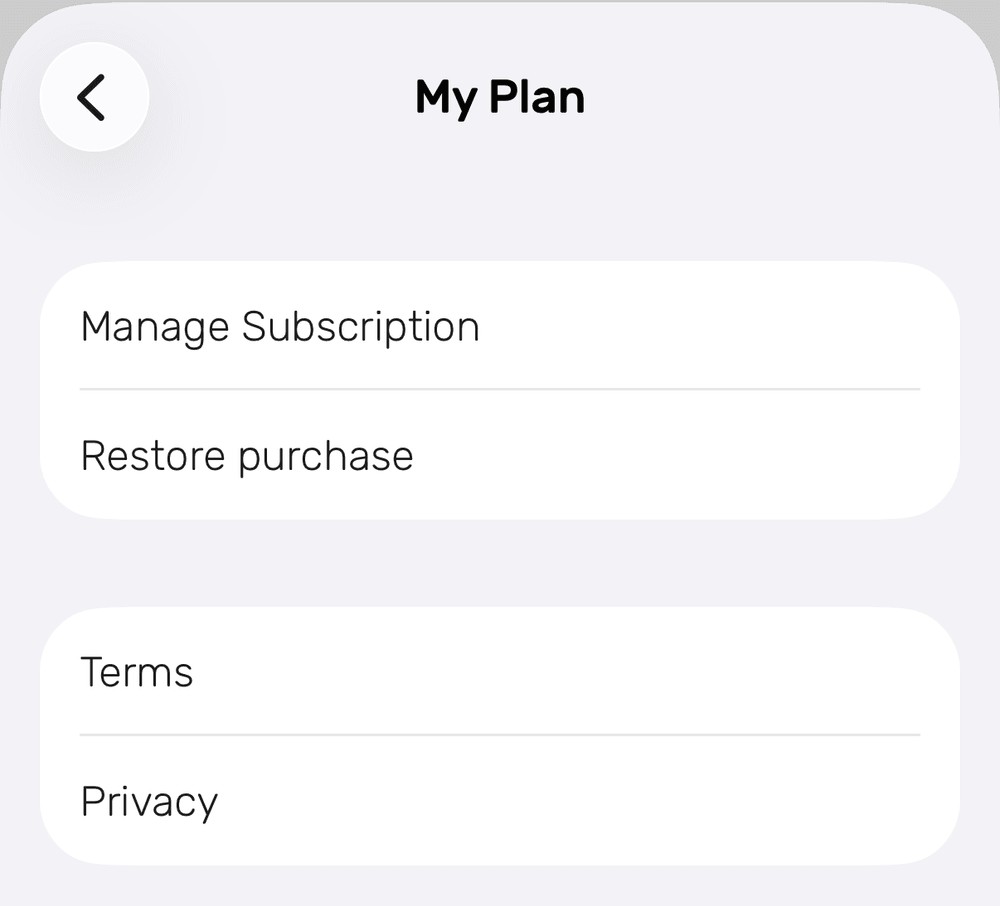
Yes, on every device signed in with the Apple ID you bought it with: iPhone, iPad, Mac, Apple Watch and Vision Pro. If it doesn't appear on a new device, tap Restore purchase in Settings → My Plan (iPhone and iPad) or Settings → Noted+ (Mac). It can't be used on Android. SubscriptionShort answer
Yes, on every device signed in with the Apple ID you bought it with: iPhone, iPad, Mac, Apple Watch and Vision Pro. If it doesn't appear on a new device, tap Restore purchase in Settings → My Plan (iPhone and iPad) or Settings → Noted+ (Mac). It can't be used on Android.
Yes. Your Noted subscription or Lifetime purchase works on every Apple device signed in with the same Apple ID you bought it with: iPhone, iPad, Mac, Apple Watch and Vision Pro.
It can’t be used on Android.
Family Sharing is supported for the yearly subscription, but not for Lifetime purchases.
How does it work?
When you install or reinstall Noted on a new device, it restores your subscription or Lifetime access automatically.
If it doesn’t, restore it yourself:
- iPhone and iPad: Settings → My Plan → Restore purchase
- Mac: Settings → Noted+ → Restore Purchase
My purchase isn’t showing on another device
- Check your Apple ID: make sure you’re signed in with the same Apple ID and iCloud account on every device. If needed, sign out and back in.
- Check the subscription is active: on your iPhone or iPad, go to Settings → [your name] → Subscriptions.
- Restore your purchase: use Restore purchase as above, then restart the device.
- Reinstall Noted: delete the app and install it again.
- Reset Keychain: turn off iCloud Keychain and restart your devices. Turn it back on first on the device where you bought Noted, then on the others.
If none of these work, send us your order ID so we can look into it and get your purchase working on every device.