




How do I cancel my Noted+ subscription?
Last updated
You can cancel anytime through Apple: iPhone or iPad: Open Noted, go to Settings → My Plan → Manage Subscription. Mac: Open Noted, go to Settings → Noted+ → Manage Subscription… You can keep using Noted+ until your subscription ends. After that, your notes stay on your device and remain readable. Nothing is deleted. SubscriptionShort answer
You can cancel anytime through Apple:
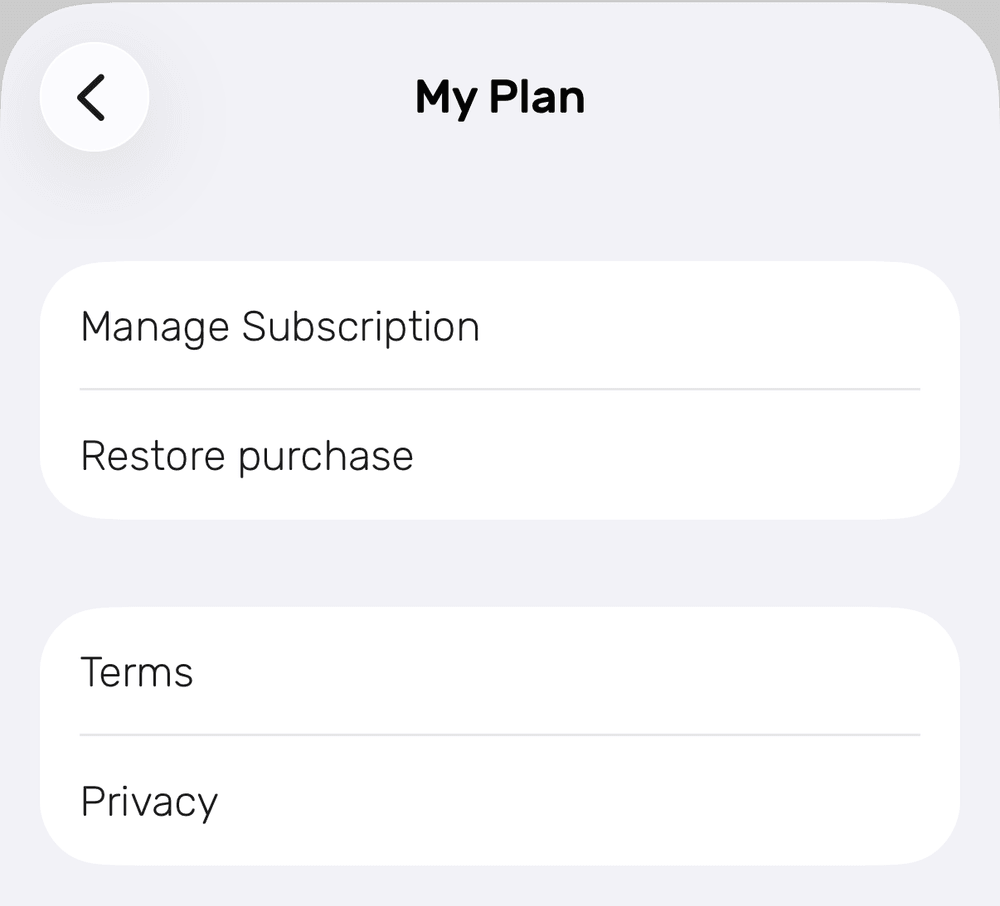
- iPhone or iPad: Open Noted, go to Settings → My Plan → Manage Subscription.
- Mac: Open Noted, go to Settings → Noted+ → Manage Subscription…
You can keep using Noted+ until your subscription ends. After that, your notes stay on your device and remain readable. Nothing is deleted.
We’d be really sad to see you go if you decide that Noted+ is not for you, but we understand that Noted+ isn’t the perfect solution for everyone. So if you ever want to cancel your subscription plan, here’s how to do it:
iOS
- In Noted, go to Settings > My Plan and tap Cancel Subscription (or Manage Subscription)
- This opens the Subscriptions page in the App Store where you can cancel your subscription.
macOS
- In Noted, go to Settings > Noted+ > click Manage subscription…
- You will be directed to the Subscriptions page in the App Store where you can manage or cancel your subscription.
What happens after I cancel?
You can keep using Noted+ until the end of the period you’ve already paid for. After that, your notes stay on your device in read-only mode. Nothing is deleted.
How do I get a refund?
Refunds go through Apple, not Noted Support Team.
- Go to reportaproblem.apple.com
- Sign in, select “I’d like to,” choose Request a Refund, pick your reason, select Noted, and submit. Refunds are subject to Apple’s review and policy.