




How do I share a note or recording?
Last updated
On iPhone and iPad, tap ⋯ → Share and choose Share via Web, PDF, TXT or M4A. On a Mac, click the Share button next to ⋯. A PDF keeps your formatting; the web link lets someone read the note in a browser without the app. Using Your NotesShort answer
On iPhone and iPad, tap ⋯ → Share and choose Share via Web, PDF, TXT or M4A. On a Mac, click the Share button next to ⋯. A PDF keeps your formatting; the web link lets someone read the note in a browser without the app.
Noted gives you several ways to share your notes. Here’s how to get started:
- iPhone and iPad: Tap ⋯ → Share, or touch and hold a note in the list and tap Share
- macOS: Click the Share button next to ⋯ at the top right
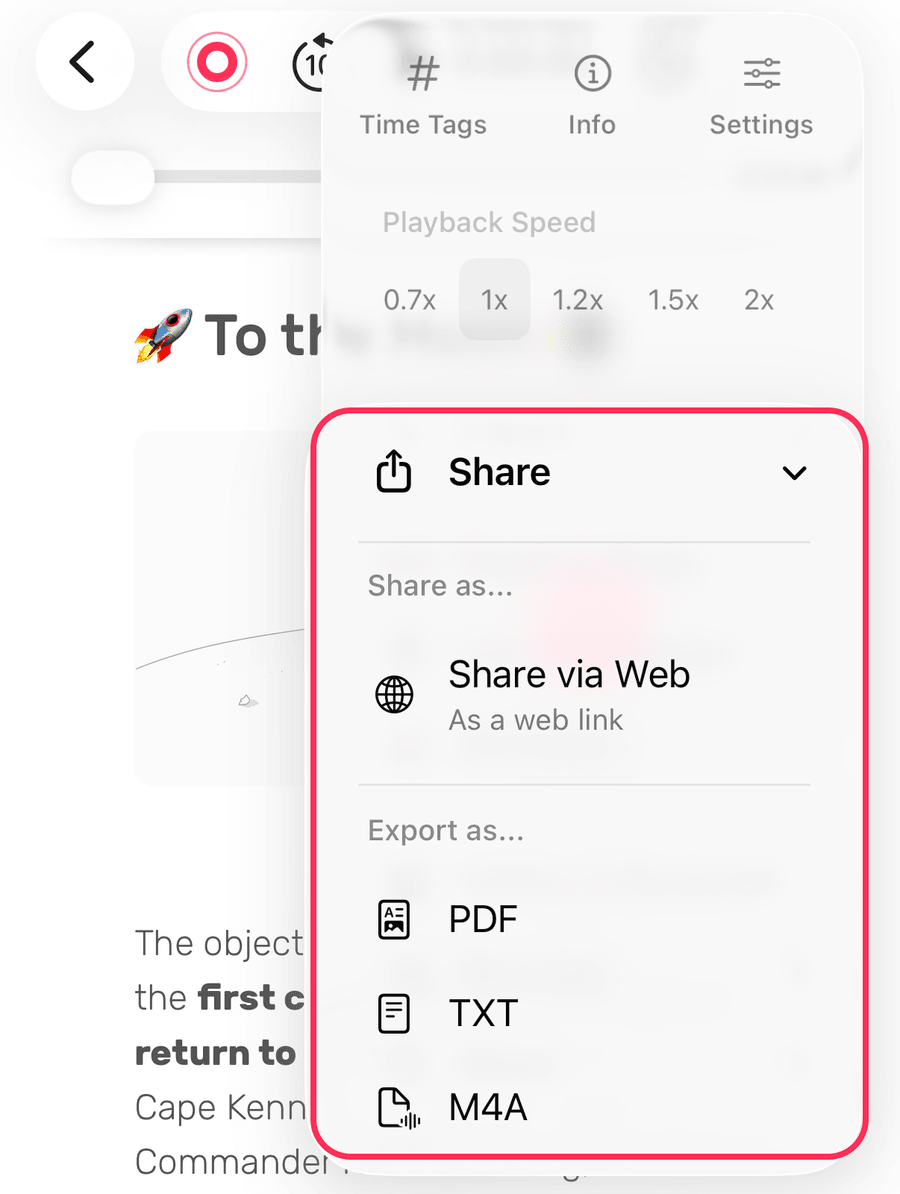
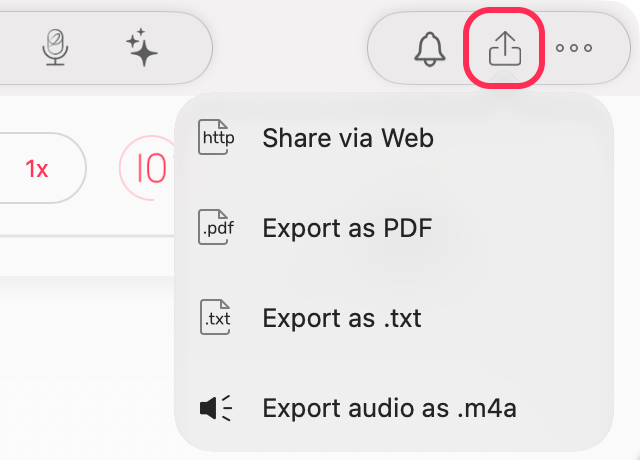
Share via iCloud (iOS 18 & below)
(iOS only) Share the full note — timestamps, #TimeTags, images, attachments and audio — with another Noted user via iCloud link
Share Notes as PDF or TXT Files
Export as a PDF (includes images) or plain .txt file to send to anyone.
Share Audio as M4A Files
Export just the audio recording via AirDrop, email or any sharing method.
Share via Web
Share the full note experience with non-Noted users via a web link — no app needed.