How do I resend a recording from my Apple Watch?
Last updated
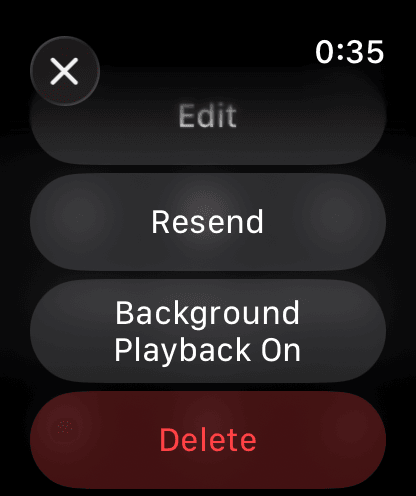
On the Watch, open the stuck recording, tap ⋯ at the top right and tap Resend. Keep both devices charged and close together while it transfers. Apple WatchShort answer
On the Watch, open the stuck recording, tap ⋯ at the top right and tap Resend. Keep both devices charged and close together while it transfers.
Watch recordings are automatically transferred to your paired iPhone, but they can get stuck during the process in rare cases. This could be due to low battery levels on both devices or other factors such as poor Bluetooth connection.
Should this happen, you can try the following commands.
Resend a Recording
- On your Watch, open the recording you want to resend.
- Tap ⋯ at the top right.
- Tap ‘Resend’.