




How do I summarise a meeting or lecture in Noted?
Last updated
Open the note, tap ✨ and choose Summarize Note, then tap Start. Noted reads your notes and the transcript and writes a summary with key points and actions you can edit or share. Summaries are included with your plan, up to 100 a month; there is no separate subscription. FAQsShort answer
Open the note, tap ✨ and choose Summarize Note, then tap Start. Noted reads your notes and the transcript and writes a summary with key points and actions you can edit or share. Summaries are included with your plan, up to 100 a month; there is no separate subscription.
Taking notes during a meeting is one thing. Writing them up afterwards takes time. Summaries turn a long note and its transcript into a clear recap, for yourself or to share with your team. (You may have seen this feature called Noted Assistant.)
Where do I find summaries?
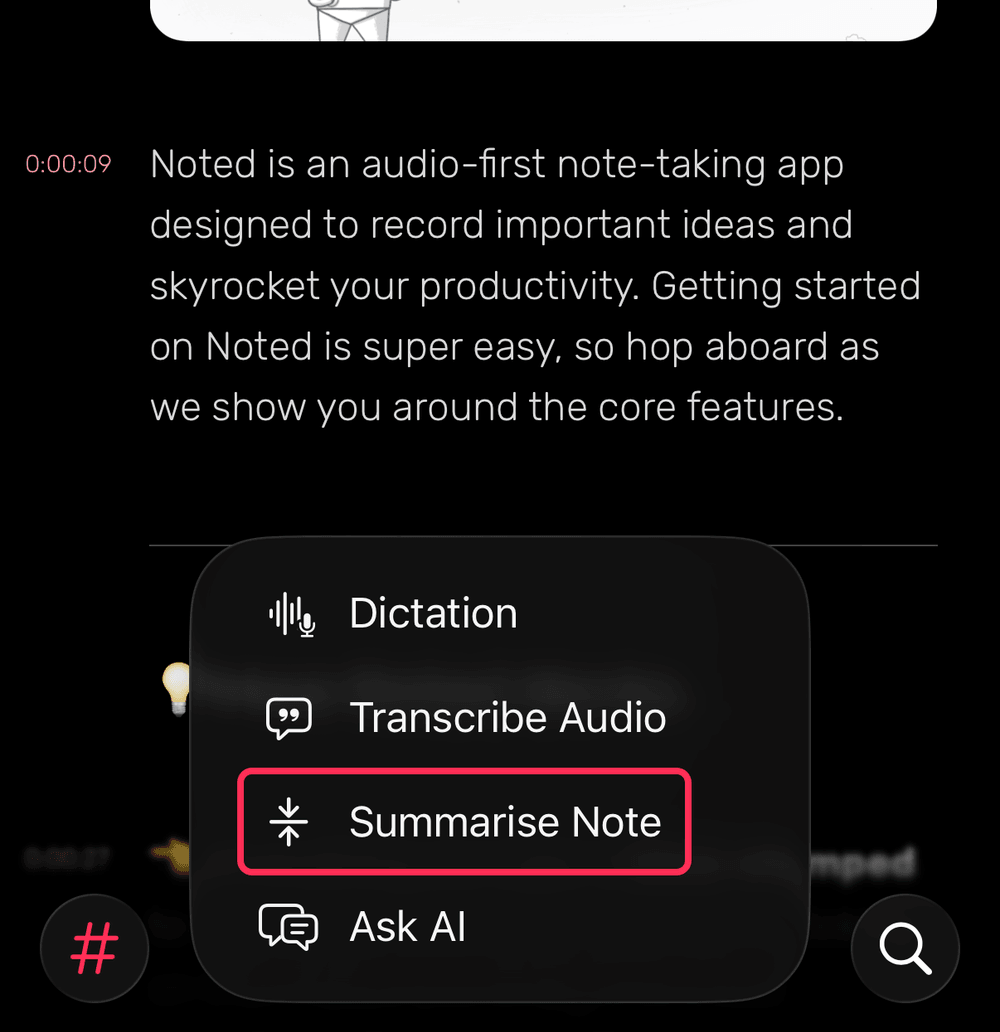
Tap the ✨ button in the toolbar. Summarize Note is in the menu, alongside Transcribe Audio and Ask AI.
How do I summarise a note?
- Open the note you’d like to summarise.
- Tap ✨ and choose Summarize Note.
- If the note has a transcript, leave Include audio transcript on to summarise the recording as well as your notes.
- Tap Start. Noted writes a summary of your note.
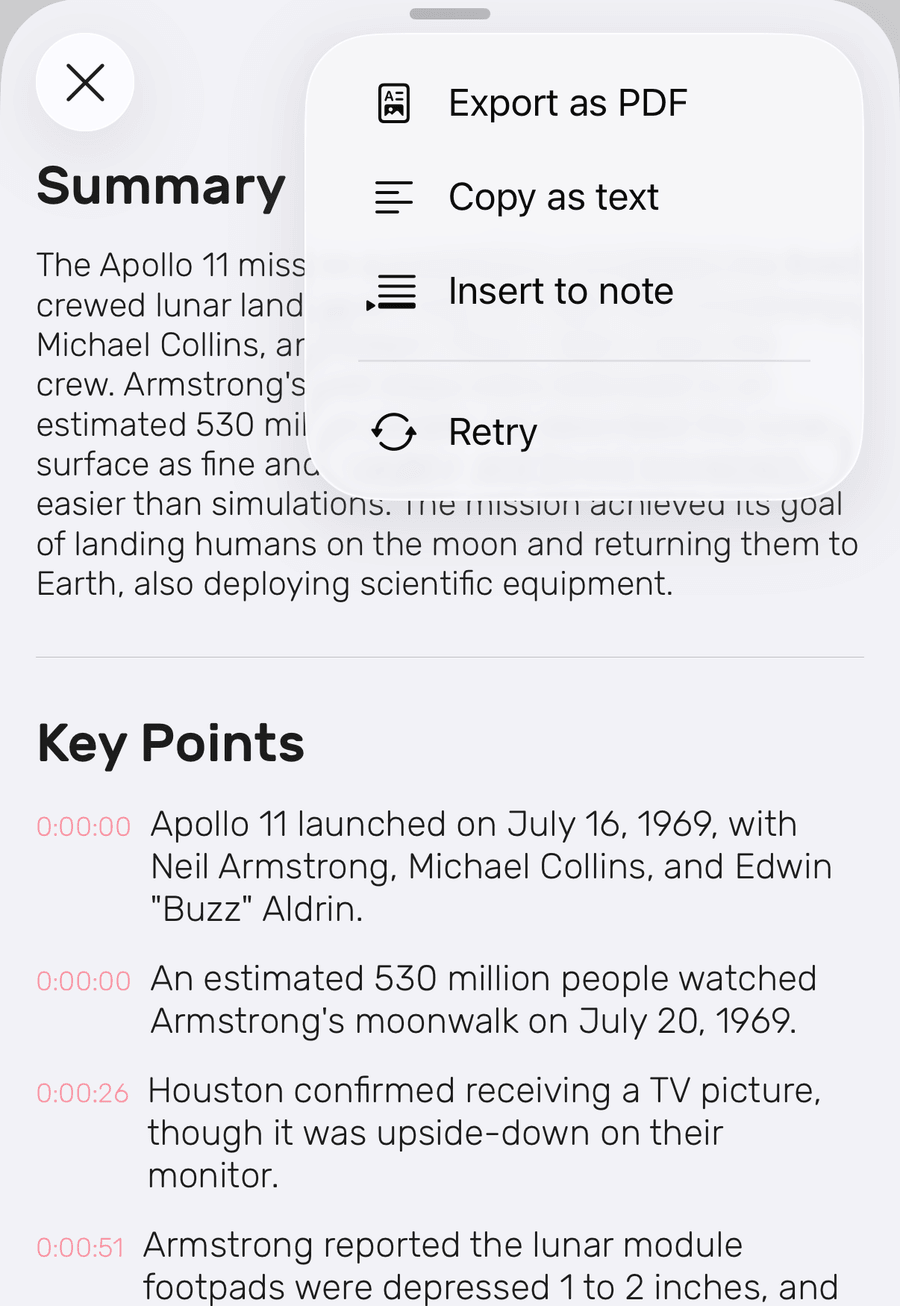
From ⋯ on the summary you can Export as PDF, Copy as text or Insert to note.
Do I need a separate plan for summaries?
No. Summaries are included with your plan. There is no separate subscription to buy.
Is there a limit on summaries?
Yes. To keep processing quick and reliable, every plan includes 100 summaries a month.
Reaching the limit: Once you’ve used 100 in a month, summaries pause until your allowance resets the next month. If you need more, contact our support team at support@notedapp.io.